
MODUNARU HOW-TO
Reduce a photo to under 100 KB
If a form asks for a photo under 100 KB, check its file size separately from its pixel dimensions. In Modunaru, set the width, height and size limit, then inspect the actual output size and clarity before saving.
100 KB and pixel dimensions are different requirements
100 KB is a file-size limit. Numbers such as 300 × 400 px describe width and height. If a service specifies both, you need to meet both requirements. Reducing a file to 100 KB does not automatically set its pixel dimensions.
- Check the required pixel dimensions, maximum size and accepted formats such as JPG or PNG.
- Modunaru uses 1 KB = 1,000 bytes. A 100 KB limit means 100,000 bytes.
- Keep the original. JPG and WebP compression can reduce detail, and making an image smaller cannot preserve all of its original detail.
Steps to reduce your photo below 100 KB
Choose one photo
Choose one JPG, PNG or WebP in the photo editor. The input limit is 25 MB and 40 million pixels. Save an HEIC file as a still JPG or PNG first.Set dimensions, limit and format
Open Size & format in Edit & save, enter the width and height, and set the maximum size to 100 KB. If the receiving service allows it, try JPG for a standard photo. Without a required pixel size, choose dimensions that keep the source proportions and reduce them only as much as needed.Choose cropping or padding
Fill & crop trims the edges to fill your dimensions. Fit whole photo keeps the whole source and adds padding. Check the preview for clipped faces or text. If padding may be restricted, check the receiving service before using it.Convert, inspect and save
Choose Make my photo fit. Check the result dimensions, actual size and format, then inspect the image at full size before downloading. Convert again after any settings change to update the saved file.
MEASURED EXAMPLE
Crop and padding from the same source
The images below are programmatically generated synthetic test images, not a real person. The 300 × 400 px setting is an example, not an institution’s requirement.
Measured on: · Converted with the actual photo tool in the in-app browser on a PC.
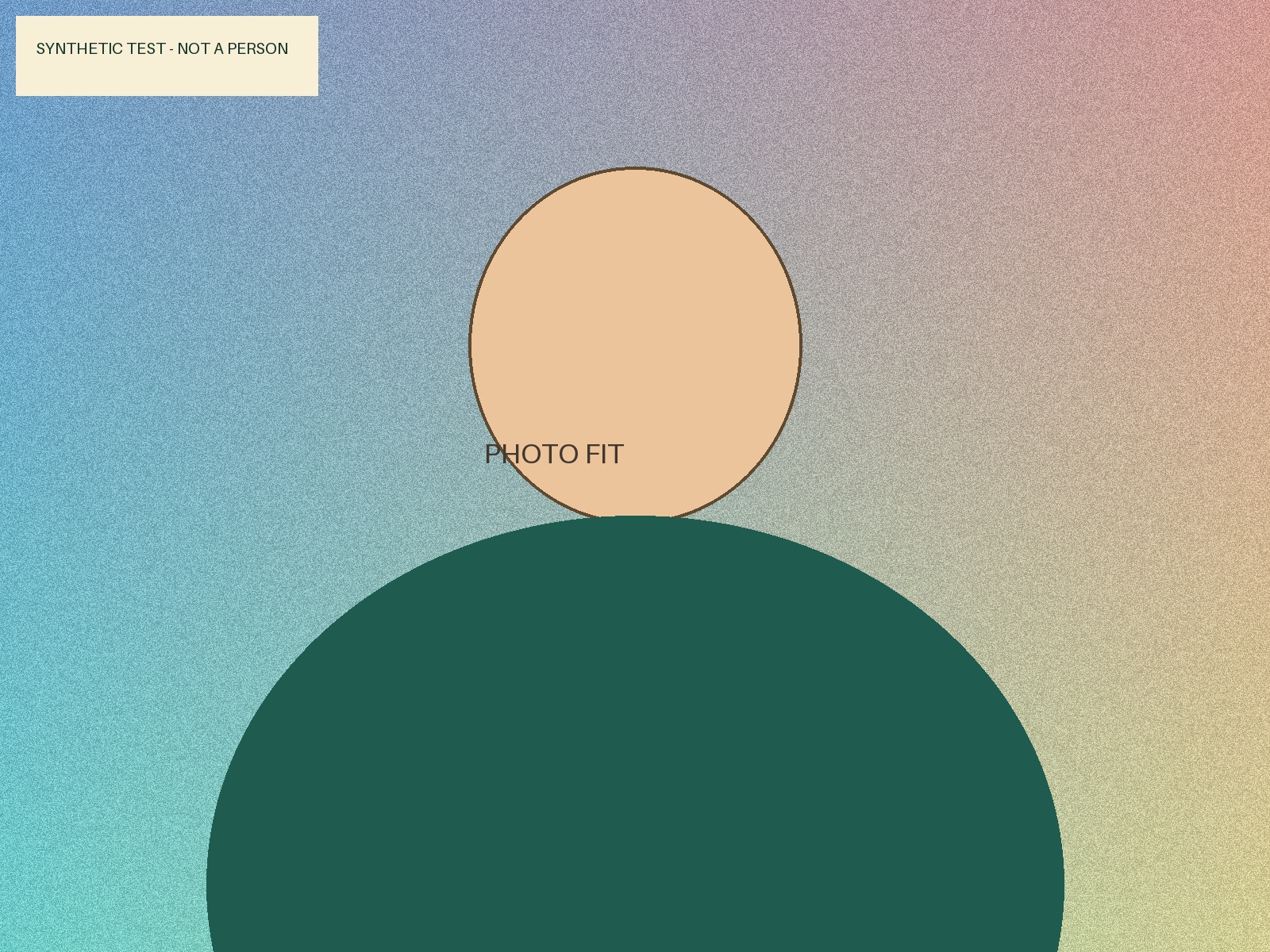
| File | Dimensions | Format | Actual size |
|---|---|---|---|
| Source | 1,600 × 1,200 px | JPG | 1,059,613 bytes (1,059.613 KB) |
| Fill & crop | 300 × 400 px | JPG | 25,339 bytes (25.339 KB) |
| Fit whole photo | 300 × 400 px | JPG | 17,089 bytes (17.089 KB) |
Fill & crop
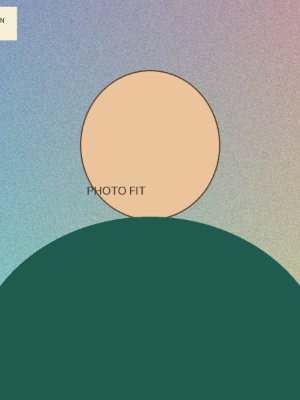
Saved file: 25,339 bytes (25.339 KB)
Some content on the sides is removed. Meeting the size limits may still be unsuitable if important content is cropped out.
Fit whole photo
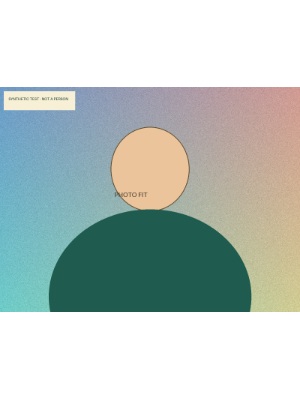
Saved file: 17,089 bytes (17.089 KB)
The whole source fits with white padding above and below. Check whether padding is allowed and whether the smaller details remain clear.
These measurements apply to these files. Complexity, settings and browser can change output size and quality; other photos will not necessarily produce the same sizes.
What to change if the file is still too large
The tool does not silently shrink the requested dimensions to claim success. If the searched compression range cannot meet the limit, downloading is blocked and the reason is shown.
An example that did not fit
The same source was attempted with these settings. 600 × 600 px · 1 KB · JPG
Attempted result: 5,198 bytes (5.198 KB) — over the limit, so the file was not available to download.
This demonstrates the limit of a much smaller 1 KB budget; it is not a measured failure at 100 KB.
- If the pixel dimensions must stay fixed, check the accepted formats and consider JPG or WebP. PNG has no lossy quality compression and can be difficult to fit into a small budget.
- If smaller dimensions are allowed, reduce width and height and convert again. Check that small text and faces remain clear.
- If the size budget can increase, raise it only within the permitted limit. Do not increase it if the receiving service specifically requires 100 KB or less.
Frequently asked questions
Will quality stay the same?
JPG and WebP can lose detail. Inspect the saved file at full size as well as checking its numbers. This does not make an already blurred source sharp.
Does being under 100 KB mean my submission will be accepted?
No. A service may also set face proportions, background, photo-age or editing rules. The receiving service’s requirements take priority; Modunaru does not decide acceptance.
What if downloading does not work on mobile?
Use Save or share photo. If it is not shown, open the other save methods under the result and try Save or share file. Check that the file appears in your gallery or files app.